Using a checkbox for String values "1" and "0" instead of true and false
New Discussion
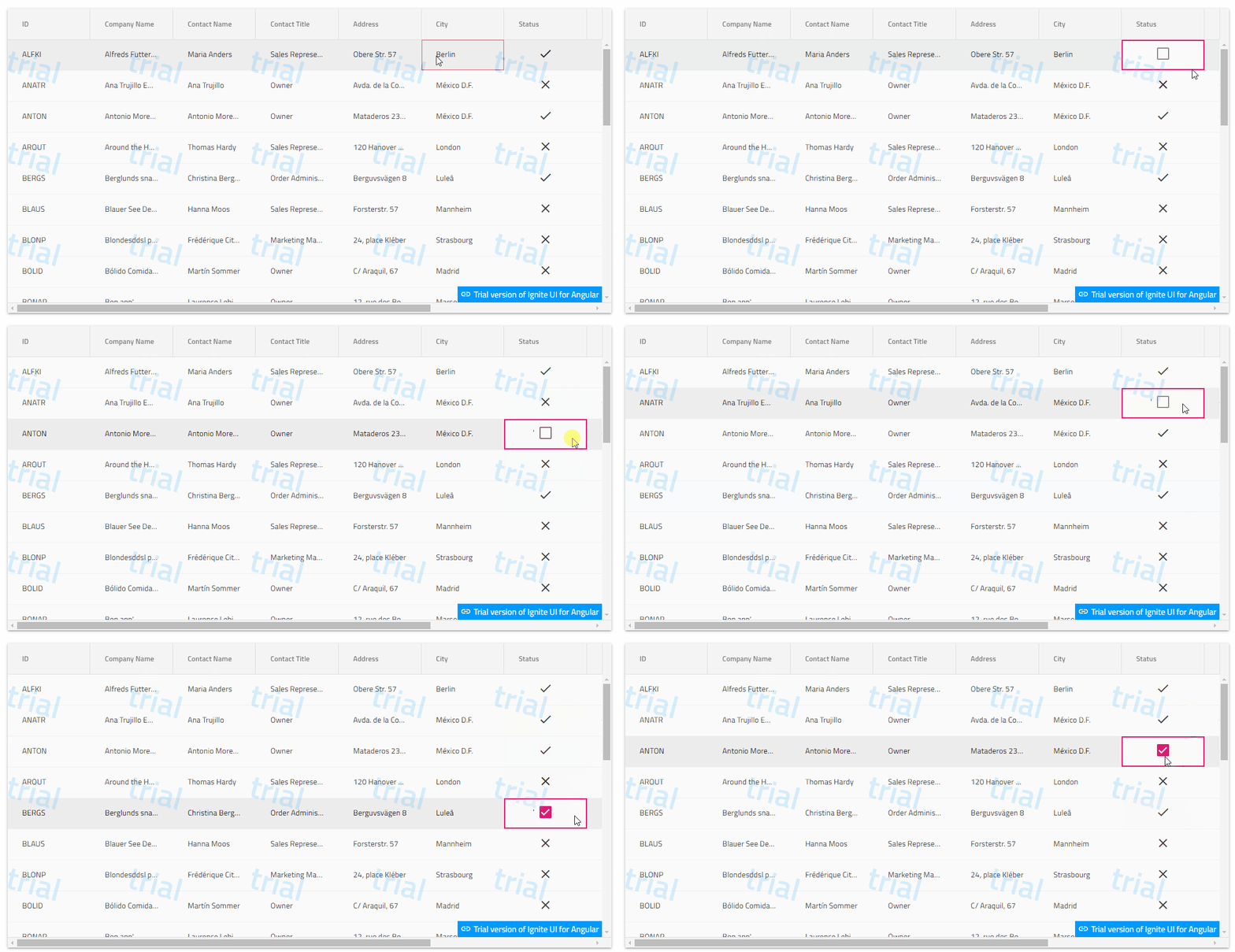
in Winforms, I can use a CheckEditorDataFilter (see below) to transform the boolean values that a checkeditor usually works with to string values.
if the value in the field is “1”, the checkbox is checked, and if it is “0” (or String.Empty) the checkbox is not checked.
And when I check the checkbox, it will flip a “1” to a “0” and vice versa.
is this possible with the igx-grid?
Public Class CheckEditorDataFilter
    Implements Infragistics.Win.IEditorDataFilter
    Public Function Convert(ByVal args As Infragistics.Win.EditorDataFilterConvertArgs) As Object Implements Infragistics.Win.IEditorDataFilter.Convert

        If args.Value & "" = "Received" Then Return "0"

        Select Case args.Direction
            Case Infragistics.Win.ConversionDirection.EditorToOwner
                args.Handled = True
                Select Case CType(args.Value, CheckState)
                    Case CheckState.Checked
                        Return "1"
                    Case CheckState.Unchecked
                        Return "0"
                    Case CheckState.Indeterminate
                        Return "0"
                        'Return String.Empty
                    Case Else
                        Return "0"
                        'Return CheckState.Indeterminate
                End Select
            Case Infragistics.Win.ConversionDirection.OwnerToEditor
                args.Handled = True
                If args.Value & "" = "1" Then
                    'Return 1
                    Return CheckState.Checked
                ElseIf args.Value & "" = "0" Then
                    'Return 0
                    Return CheckState.Unchecked
                Else
                    Return CheckState.Unchecked
                    'Return CheckState.Indeterminate
                End If
            Case Else
                Return "0"
                'Return CheckState.Indeterminate
        End Select
    End Function

End Class
Sign In
to post a reply
Replies

- You must be logged in to reply to this topic.
Discussion created by
Favorites
Replies
Created On
Last Post
Discussion created by
 Walter Zielenski
Favorites
0 Replies
3 Created On
Aug 06, 2024 Last Post
2 years ago Suggested Discussions
DISCUSSION
VIEWS
REPLIES
LAST POST
Convert grid cell display values ‘true/false’ into ‘Yes/No’
I’d like to change what the user sees in the grid. Let’s say I have a boolean column th…

VIEWS
135,430
REPLIES
2
LAST POST
14 years, 9 months ago WebDataGrid HtmlEncode False Still Shows HTML Tags
Infragistics version in use: 11.2.20112.2086 Through my searching of both this form and the net at …

VIEWS
35,377
REPLIES
2
LAST POST
14 years, 3 months ago loop on WebGrid find check box true or false
i am not found ig:TemplateDataField <asp:CheckBox ID=”CheckBox2″ runat=”serv…


VIEWS
172,215
REPLIES
6
LAST POST
4 years, 7 months ago How to check the checkbox if the return value is true in the Grid
Hi All, I have a grid and I want to be able to auto checked the checkbox if the return value in the…


VIEWS
176,767
REPLIES
13
LAST POST
11 years, 10 months ago 