
The Best Material UI Alternatives for React Developers
Material UI remains the default option for many developers and teams. But what happens when you look for enterprise-grade capabilities and tools that empower you to build data-heavy applications?
 Katie Mikova
15 min read
Katie Mikova
15 min read
For years, MUI has been one of the most widely adopted UI libraries for React, especially for developers who are comfortable with the Material Design aesthetic. The biggest selling point is the MIT-licensed community option and the variety of free controls and capabilities that it offers, varying from basic buttons to data grids, date pickers, and more. However, there are some intricacies associated with MUI that quite often become the reason why teams start looking for Material UI alternatives despite the solid foundation that it provides.
To compare different options, this article provides an honest review of the features, licensing, advantages, and downsides so you can make an informed decision. We also highlight why Ignite UI for React, now offering 50+ free MIT-licensed components with commercial-grade quality in addition to stronger enterprise capabilities and Premium controls, has quickly become one of the most powerful alternatives available today.
Why Developers Look for Material UI Alternatives?
Teams building more complex or design-driven applications often encounter challenges such as:
- The need for lighter, more performant bundle sizes.
- Higher requirements for speed and rendering efficiency.
- Strong default styles that can be difficult or time-consuming to override.
- Extra setup, boilerplate, or configuration overhead.
- A heavy abstraction layer and indirection within each component.
- Frustration with built-in styling conventions.
- Migration friction between major versions.
- Preference for utility-first CSS frameworks or headless UI libraries.
- Requiring richer, enterprise-level components for more complex and data-heavy apps.
Note: These limitations come directly from developer experiences shared across Reddit threads, Stack Overflow and GitHub issue discussions, and feedback from the Ignite UI developers.
Because of these MUI pain points, many teams eventually ask: What is the best alternative to Material UI for React? Which library offers the right mix of performance, customization, functionality, and long-term stability?
Here’s a condensed overview of the best options to replace MUI.
| Material UI Alternatives | License | Performance | Best For | Downsides |
|---|---|---|---|---|
| Ignite UI for React | Commercial + MIT | Excellent — optimized for data-heavy UIs and fast rendering | Enterprise apps, dashboards, complex data grids | Some advanced components require a commercial license |
| Ant Design | MIT | Good | Enterprise UI with a polished design system | Heavy CSS, opinionated styles |
| Chakra UI | MIT | Very good | Highly customizable, accessible-by-default UIs | Lacks advanced data components |
| Mantine | MIT | Very good | Dev-friendly, modern apps needing broad UI coverage | No major enterprise-grade grid |
| Fluent UI | MIT | Good | Microsoft ecosystem, Office-like apps | Design language not very flexible |
| Radix UI | MIT | Excellent | Headless workflows, building custom design systems | No styled components out-of-the-box |
| shadcn/ui | MIT | Very good | Tailwind teams creating fully custom UIs | Not a true component library; manual maintenance |
| PrimeReact | MIT | Good | Large component suite, variety of widgets | Heavy styling; inconsistent UX |
Top Alternatives to Material UI
Let’s have a closer look at all Material UI alternatives that top the market today.
Ignite UI for React
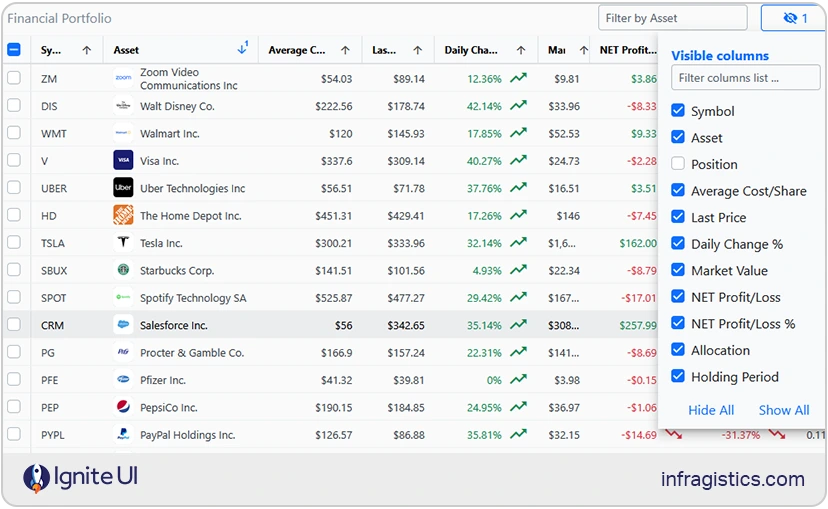
Ignite UI for React offers a complete, enterprise-grade UI library with 100+ advanced, high-performance components engineered for mission-critical applications. From the fastest React Data Grid on the market to powerful charts, gauges, Dock Manager, and other high-performance components, our library equips teams with the necessary tooling for building modern, data-rich apps and great UX.
One of the most recent changes and the biggest update yet to Ignite UI is the release of 50+ fully open-source components (with free React data grid and more) under the MIT license, suitable for production. This move solidifies our goal to provide the ultimate developer productivity, experience, and modern capabilities with the flexibility that each project requires. So, if you want zero restrictions, ability to integrate React data grid for free and other MIT-licensed components into commercial products without licensing hurdles, or maintain full ownership, then the open-source controls in Ignite UI for React will become the best React Material UI alternative for you.
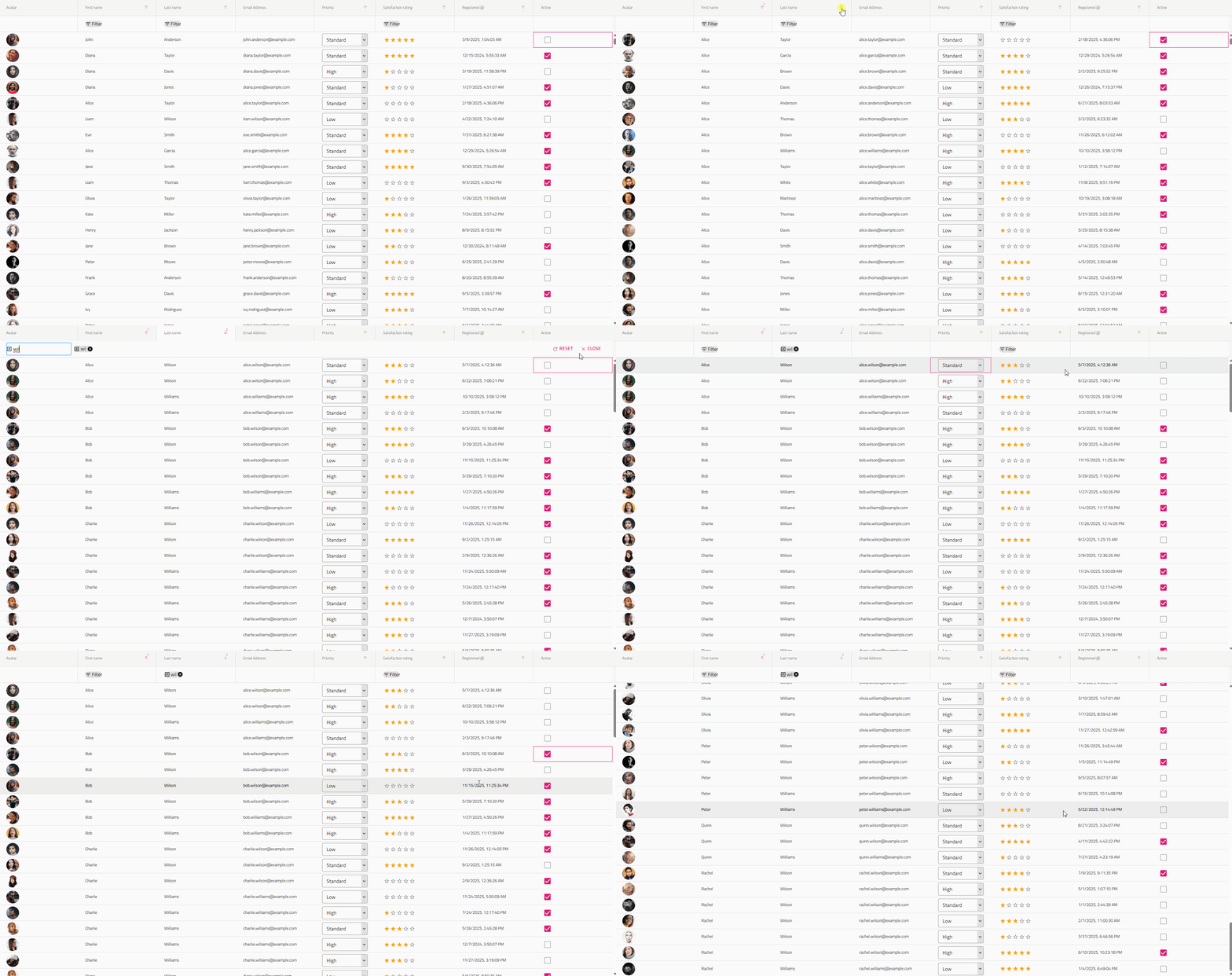
Ignite UI Open-Source components: Free React data grid Grid Lite, Accordion, Avatar, Badge, Banner, Button, Button Group, Calendar, Card, Carousel, Checkbox, Chip, Circular Progress, Combo, Stepper, Date Picker, Drop Down, Input, Dialog, List, Toolbar, Tile Manager, Snackbar, and more.
Ignite UI Premium components: However, if you’re looking for advanced capabilities and enterprise-grade components such as high-performance Data Grid, Hierarchical Grid, Tree Grid, Pivot Grid, Charting Library, Gauges, Query Builder, Maps, Dock Manager, Excel Library, Spreadsheet, etc. – Ignite UI for React also offers a full suite of Premium tools.
Strengths:
- Modern, production-ready and enterprise-grade UI controls with advanced features.
- MIT-licensed components with no usage restrictions.
- Huge emphasis on accessibility, covering WAI-ARIA requirements.
- Lightweight and fast, with noticeably smaller bundle size than many Material UI components.
- Consistent design system with theming options for Material, Fluent, Bootstrap, and custom styling.
- Easy integration with existing React projects, requiring minimal setup.
- Scalable upgrade path to enterprise-grade controls.
- Excellent documentation, how-to guides, webinars, tutorials, and more.
- Backed by 35+ years of experience, ensuring long-term stability and professional support.
Weaknesses: The MIT-licensed controls do not have advanced features and capabilities for complex, data-driven projects, requiring charts, fast-performance grids, etc.
Best for: Teams who require flexible React UI library, feature-packed controls, advanced app building experience; developers who need free React data grid and other flexible, MIT-licensed React components with no licensing; building different apps – start-up projects, PWAs, lightweight apps, customer-facing applications, admin dashboards, enterprise-grade, data-heavy solutions, and more.
Ant Design of React
This is an open-source collection of pre-built components, customization options, and demos for building interactive UIs and it was launched by Alibaba Group in 2015. The React controls provided by Ant Design include Text Field, Dropdown, Date Picker, Selection Menu, Charts, Icon, Button, Pagination, TreeSelect, Input, Form, etc. But why is it among the best Material UI alternatives?
Strengths:
- Enterprise-friendly design language applied across large-scale applications.
- Good component ecosystem with essential components for data display.
- Consistent styling and interactions across the entire system.
- Sufficient documentation, active community, and long-term support within the React ecosystem.
- The community provides guidance into using the library in complex projects, with a lot of resources available in English.
Weaknesses:
- Limited customization options and large bundle size.
- The design aesthetics lean towards more traditional feel and look which may not work well with modern-day requirements.
- Certain components, particularly the Table component, can suffer from performance issues.
- Users may need to learn other related tools, such as Ant Design Pro and Umi, adding up to the learning curve.
Best for: Enterprise teams needing a structured, ready-made design system; internal business applications; dashboards; and data-driven admin interfaces.
Chakra UI
This one is another Material UI alternative that lets you create a React project using a template, which determines the files and dependencies included with the generated project. Key components that it provides include Drawer, Grid, Buttons, CheckBox, Form Control, Icon Button, Input, Radio, Select, TextArea, Slider, Badge, Table, Avatar, and others.
Strengths:
- It follows WAI-ARIA standards for all components.
- Themeable so it can match design needs and aesthetics.
- Optimized for multiple color modes with Light and Dark UI.
- Active community.
- It is designed for composition and well documented.
- Provides sufficient accessibility defaults.
- Accessible, modern, and easy-to-style UI components.
Weaknesses:
- A limited component set.
- Might not provide the necessary React Grid and Chart features.
- Not very customizable.
Best for: Startups, SaaS interfaces, MVPs, modern apps with accessibility and theming needs, and marketing sites.
Mantine
Mantine is a lightweight React UI library, built on top of React and TypeScript. It delivers 120 easy-to-customize components and 70 hooks. Some of the most popular controls are Combobox, Custom Select, Date Pickers, Notifications, Modals, and more.
Strengths:
- It has an entire styles API, allowing a lot of customization.
- With large component catalog.
- Clear documentation.
- The controls are built with native CSS, meaning styles are performant and easy to override.
- You can bring your own library to style Mantine components (Emotion, Vanilla Extract, Sass.
- It exports global styles both for light and dark theme.
- It is a community-driven project with more than 500 contributors.
Weaknesses:
- Lacks an advanced, enterprise-grade data grid.
- Not as battle-tested in enterprise environments as older libraries.
- Some inconsistencies in styling across complex components.
Best For: Startups, SaaS products, and fast-moving teams that need a wide variety of UI components; applications requiring modern theming and rapid development across UI patterns.
Fluent UI
This is Microsoft’s official React component library for building apps following the Fluent Design System. The most used and popular components it packs are Buttons, Grids, Checkboxes, Notifications, Menus, essential Inputs, Toolboxes, and others.
Strengths:
- Components that match Microsoft’s ecosystem.
- Ensures consistent look and feel across various platforms and devices.
- Strong accessibility and keyboard support.
- Easy theming to match Office or Teams branding.
- Full TypeScript support.
- It is free and open-source.
- Created with easy accessibility and responsiveness in mind.
- You can use the code and modify it based on your needs.
Weaknesses:
- Some components feel tailored for Microsoft-specific use cases.
- Might not be appropriate for data-heavy apps.
- Not a vibrant dev community.
Best for: Apps that live inside Microsoft 365 or align with enterprise styling; developers and designers with prior experience.
Radix UI
This open-source component library is a good MUI alternative because of its accessibility and ease of maintenance. Something that stands out here is that Radix UI’s offers a collection of unstyled, accessible UI primitives for building fully customized interfaces. What components does it pack? Grid, Data List, Dialog, Tooltip, Dropdown Menu, Hover Card, Icon Button, Inset, Popover, Checkbox, Card, Button, Avatar, Tooltip, Tabs, Theme, and many more.
Strengths:
- It is fully accessible and adheres to WAI-ARIA standards by default.
- Headless components and it works with Tailwind, Styled-components, or custom CSS.
- Composable architecture suitable for custom design systems.
- Cross-browser compatibility for consistent performance.
- Small and modular – import only what you need.
- Completely open-source and free.
Weaknesses:
- No pre-styled components; styling overhead falls on the developer.
- Requires strong design resources and more effort to build polished UI elements.
- Learning curve.
Best for: Teams building custom designs, ideal as a starting point for design system architects, and developers who want complete control over styling.
shadcn/ui
shadcn/ui is a unique approach to component development. Instead of being a traditional library, it provides a collection of pre-made UI components built with Radix primitives and Tailwind CSS. But why is it part of our Material UI alternatives list? The main idea when using shadcn/ui is to allow you to copy them directly into your codebase, giving you full control over the implementation, styling, and long-term maintenance of every component. Some of the most prominent controls include Field, Input Group, Item, Data Table, Bitton, Date Picker, Dropdown Menu, Chart, Pagination, and many more.
Strengths:
- Beautiful and clean default styling built with Tailwind.
- Full component ownership as they live directly in your codebase.
- Very customizable since nothing is abstracted away.
Weaknesses:
- Not a full-featured component library.
- Maintenance responsibility depends entirely on your team and your own efforts.
- Larger projects can accumulate duplicated or inconsistent component versions.
Best For: Tailwind-first teams; developers building custom or heavily branded UIs; applications that require complete control over every component; design-driven startups and marketing sites.
PrimeReact
The last one among our top Material UI alternatives is PrimeReact which is a complete UI suite for React.js. It delivers over 80 feature-packed and easy-to-customize components, such as Chip, Dropdown, Editor, InputGroup, IconField, Calendar, Listbox, Knob, ToggleButton, and others.
Strengths:
- Various customizable components and widgets.
- Multiple themes and styling presets available out of the box.
- Strong community and long-standing reliability.
- Good documentation and example-driven learning resources.
Weaknesses:
- Styling can feel heavy or outdated compared to modern libraries.
- Some UX patterns are inconsistent across components.
- May suffer some performance issues compared to lighter, more optimized libraries.
Best For: Teams that want a ready-to-use component suite and don’t mind heavier styling; applications requiring many UI widgets; developers who prefer a large ecosystem without the need for heavy customization or design work.
How to Migrate from Material UI to Ignite UI
To create an application from scratch and configure it to use the Ignite UI for React, you can use the Ignite UI CLI. The first step is to install the respective package globally as follows:
npm install -g igniteui-cli
cmd
If you want to get a guided experience through the available options, you can initialize the step by step mode that will help you create and setup your new application. To start the guide, simply run the ig command:
ig
cmd
Then choose React as framework, React TS as type, select Default Top Navigation project template, add a specific component/view or select Complete & Run. Additionally, you can read more about the Ignite UI CLI in this topic.
Alternatively, you can use popular frameworks such as Next.js, Vite or Expo as recommended by the React team. Following is a step-by-step instructions for creating React applications with Ignite UI React using one of these methods.
- Install NodeJS.
- Install Visual Studio Code.
To see all the steps, create a new project, or update an existing app, check out the official documentation.
Wrap Up…
Material UI remains the default option for many developers and teams. It’s free to use, provides a large number of feature-rich components, impresses with an active community, and has excellent documentation. But what happens when you look for enterprise-grade capabilities and tools that empower you to build data-heavy applications? What Material UI alternatives should you consider?
Currently, there are thousands of React libraries but a relatively small number of them are fully-fledged, well-maintained, and packed with the controls and features that modern-day projects require. To narrow down your choice, especially when you are looking for an alternative to Material UI, we’ve made this list of solutions and highlighted the biggest advantages of Ignite UI for React.
Explore and try them.


