What’s New in Infragistics Ultimate 26.1
Infragistics Ultimate 26.1 ships a complete AI toolchain - Agent Skills, the Ignite UI CLI MCP server, and the Theming MCP server - across Angular, React, Web Components, and Blazor. The release also introduces Grid Lite, a free MIT-licensed open-source data grid, grid scroll performance gains of up to 150% FPS at 100k rows, PDF export for every grid family, a new Intl-based i18n engine, and new components including IgbQueryBuilder.
What’s new in Infragistics Ultimate 26.1
- Complete AI toolchain – Agent Skills, Ignite UI CLI MCP server, and Theming MCP server across Angular, React, Web Components, and Blazor (CLI MCP Blazor docs & API support since CLI 15.2.0)
- Ignite UI Grid Lite – new free, MIT-licensed open-source data grid; Angular wrapper ships in 21.1 (Developer Preview)
- Ignite UI CLI 15.0–15.3 – MCP server,
ai-configcommand, AI-ready scaffolds, Blazor support, side-nav-mini template- Grid scroll performance – +100% to +150% FPS and −50% to −60% Total Blocking Time at 100k rows, applied automatically in all four frameworks
- Grid PDF export – Angular, React, Web Components, and Blazor (PivotGrid included for Angular and React)
- Intl-based i18n engine – new localization API and
igniteui-i18n-resourcespackage for Angular, React, and Web Components- New components –
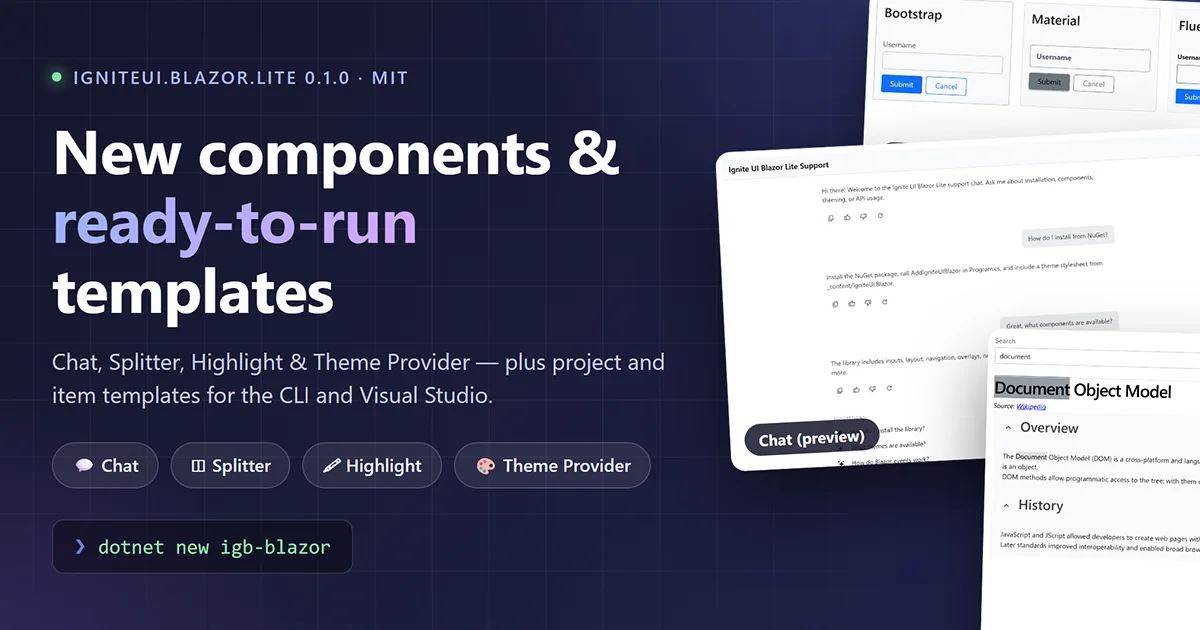
IgbQueryBuilder,IgbThemeProvider, Splitter, Highlight; Invoker Commands API (WC 7.2.0, React 19.7.0)
Infragistics Ultimate 26.1 delivers a complete AI toolchain for Angular, React, Web Components, and Blazor – Agent Skills, the Ignite UI CLI MCP server, and the Ignite UI Theming MCP server – alongside Grid Lite, a free MIT-licensed open-source data grid, grid scroll performance improvements that apply automatically across all four frameworks, PDF export for every grid family, a full Intl-based i18n engine, and new components including IgbQueryBuilder and IgbThemeProvider.
This post covers all H1 2026 product releases: Ignite UI CLI 15.0 through 15.3, Ignite UI Grid Lite, Ignite UI for Angular 21.1 and 21.2, Ignite UI for React 19.5.1, 19.6.0, and 19.7.0, Ignite UI for Web Components 7.0.0, 7.1.0, and 7.2.0, and Ignite UI for Blazor 25.2.77.
AI-Assisted Development: Agent Skills, CLI MCP, and Theming MCP
Ignite UI now ships a three-layer AI toolchain that grounds AI coding assistants in correct Ignite UI component APIs, import paths, and design tokens – across Angular, React, Web Components, and Blazor. Each layer is independently usable and configured for VS Code with GitHub Copilot, Cursor, Claude Desktop, Claude Code, and JetBrains AI Assistant. The full toolchain overview is at infragistics.com/ai-assisted-app-development.
| Layer | What it provides | Owner | Frameworks |
|---|---|---|---|
| Agent Skills | Developer-owned markdown instruction files: component patterns, import paths, decisions | Developer | Angular, React, Web Components, Blazor |
| CLI MCP server | Documentation queries, API reference, scaffolding tools via Model Context Protocol | Infragistics | Angular, React, Web Components, Blazor* |
| Theming MCP server | Design tokens, palette generation, CSS custom properties, WCAG AA contrast validation | Infragistics | Angular, React, Web Components, Blazor |
* The CLI MCP server provides full Blazor documentation and API support (shipped in CLI 15.2.0). CLI project scaffolding templates for Blazor are under development.
Agent Skills
Agent Skills are structured, developer-owned markdown packages that tell AI coding assistants exactly how to use Ignite UI for a specific framework. Each skill ships inside the framework’s npm package under skills/. When a skill is active in the AI client, the agent follows the skill’s component selection rules, import patterns, and decision flows instead of relying on general training data – which may reference outdated API signatures.
Skills are developer-owned: edit the SKILL.md to match your team’s conventions, add project-specific patterns, reference your internal design system, and version the package alongside your codebase. Because skill files persist on disk across sessions, every edit compounds – AI output quality in a workspace improves over time without any change to the underlying model. How and why that happens (and how to test against a clean baseline) is covered in Why AI Results Improve Over Time Without the Model Actually Learning.
Each framework ships its own set of skill files with names specific to that framework. Setup and IDE wiring instructions are in the Agent Skills documentation.
Ignite UI CLI MCP Server
The Ignite UI CLI MCP server (igniteui-cli) exposes Ignite UI documentation, API references, and scaffolding tools to the active AI agent session via the Model Context Protocol. Six tools are available to the agent:
generate_ignite_app– scaffolds a new Ignite UI project for the active frameworklist_components– components available for the active framework, with optional keyword filterget_doc– full markdown of a component doc, including code samplessearch_docs– full-text search across the framework’s documentationsearch_api– keyword search across the API surfaceget_api_reference– full API for a component or class: properties, methods, events
Two runtime modes ship in the same package. Remote mode proxies queries to a live docs backend and stays current. Local mode uses a bundled SQLite database with FTS4 full-text search – deterministic across machines, offline capable, and suitable for corporate networks where outbound traffic to docs backends is restricted.
The server does not generate code autonomously. It exposes tools to the AI agent, which invokes them in response to developer prompts.
Configure Agent Skills and both MCP servers in any existing Angular, React, Web Components, or Blazor project:
npx igniteui-cli ai-config
This copies Agent Skills into the agent discovery path and writes the igniteui-cli and igniteui-theming server entries to .vscode/mcp.json. After the command finishes, start each server in your AI client – VS Code displays an inline Start button above each entry; Cursor uses Settings → MCP; Claude Code starts servers automatically on first tool invocation. See the CLI MCP setup guide for per-client instructions.
Ignite UI Theming MCP Server
The Ignite UI Theming MCP server (igniteui-theming) exposes the Ignite UI Theming Engine as queryable agent context. It covers design token access, palette definitions, CSS custom property generation, and WCAG AA contrast validation. It is architecturally separate from the CLI MCP server – it can be connected independently to give the AI agent access to theming tools without exposing project scaffolding tools.
The Theming MCP server is fully enabled for Angular, React, Web Components, and Blazor projects. It updates with every Ignite UI release. Setup and tool reference are in the Theming MCP documentation.
Does the Toolchain Measurably Improve AI Output?
Yes – and the difference is measured. In a 7-scenario benchmark study across Ignite UI for Blazor and Ignite UI for Angular (May 2026), two Infragistics developers ran identical tasks in paired sessions – with and without the Ignite UI MCP servers and Agent Skills – using Claude Sonnet 4.6 in VS Code Copilot agent mode. In every scenario where the untooled model ignored the library entirely despite explicit prompts, tooling raised component compliance from 0/5 to 5/5. In the hardest single-prompt build, feature completion rose from 71% to 100%. Counting correction turns, the with-MCP sessions were cost-competitive or cheaper – the untooled path charges its correction cost later. The full benchmark tables and methodology are in the research paper AI Tooling in Framework-Specific Development: An Empirical Study of MCP and Agent Skills Benefits and the companion blog post Your AI Coding Assistant Is Confidently Wrong About Your Component Library. Both benchmark applications are public on GitHub: with MCP and without MCP.
MAKER: Optional Multi-Agent Orchestration
For teams exploring multi-step AI automation, Infragistics also ships @igniteui/maker-mcp – an experimental orchestration MCP server that decomposes complex tasks into validated step plans using consensus-based voting across multiple AI agents. It exposes three tools: plan, execute, and plan_and_execute. The server connects to any MCP-compatible client and supports OpenAI, Anthropic, and Google AI providers. Setup requires a GitHub Personal Access Token with read:packages scope and an AI provider API key from at least one supported provider – this is separate from the standard Ignite UI toolchain setup. See the MAKER documentation for configuration details.
Grid Performance: An Ongoing Engineering Investment
The H1 2026 releases deliver a targeted set of six rendering and change-detection optimizations across the scroll pipeline for all grid types – Data Grid, Tree Grid, Hierarchical Grid, and Pivot Grid – in Angular, React, Web Components, and Blazor. This is one milestone in a multi-release performance roadmap.
Earlier milestones addressed the data pipeline: the sorting algorithm was refactored using the Schwartzian transform, reducing value-resolver calls from O(n log n) to O(n); the grouping algorithm was rewritten to eliminate recursion and redundant array allocations; and Excel-style filtering was restructured to eliminate the double-initialization cost that previously blocked the main thread on both open and apply. Those changes brought sorting and filtering performance to 1M+ rows without a main-thread freeze. The full technical account is in Engineering Fast Data Grids: Lessons from Optimizing Ignite UI for 1M+ Records.
The H1 2026 rendering-pipeline work targets scroll behavior at 100k rows. Measured on a 100k-row dataset with 100 scroll operations:
| Metric | Before | After | Change |
|---|---|---|---|
| Total Blocking Time | ~8–12 sec | ~3–5 sec | −50% to −60% |
| Frames per second | ~15–25 fps | ~40–55 fps | +100% to +150% |
No API changes are required. The improvements apply automatically to any grid bound to a data source.
Performance work is continuing. The Engineering Fast Data Grids blog documents the roadmap direction.
Ignite UI Grid Lite: A Free, Open-Source Data Grid
Grid Lite is a new product in the Ignite UI family: a lightweight, high-performance data grid released under the MIT license – free for commercial use, with no feature gating and community-driven development. It is part of the initiative to make Ignite UI more open, transparent, and accessible.
Grid Lite is built as a Web Component (igniteui-grid-lite), which means it runs dependency-free – with or without a web framework. The first framework-native wrapper, IgxGridLiteComponent for Angular, ships in Ignite UI for Angular 21.1 as a Developer Preview. Wrappers for React and Blazor are on the roadmap.
What ships in Grid Lite:
- Row virtualization – render very large datasets with smooth scrolling and minimal overhead
- Column interactions – sorting, filtering, hiding, and resizing
- Automatic column types – column data types generated from the data source, with type-aware filtering built in
- Custom column templates – render any UX inside a grid column
- Theming – built-in Bootstrap, Material, and Fluent themes via the Ignite UI Theming Framework, plus palette, typography, elevation, and density customization
- Excel-style keyboard navigation – full keyboard support out of the box
Grid Lite targets high-throughput, read-oriented data display. It does not include editing, grouping, paging, or summaries – when an application grows into those requirements, the upgrade path to the full commercial Ignite UI Data Grid is direct: the same component family, theming system, and API conventions, so the transition does not require a rewrite.
Using Grid Lite in Angular
IgxGridLiteComponent provides Angular bindings – events, templates, DI, change detection, pipes – while the visual grid is rendered by the igniteui-grid-lite package. Install the peer package and import from the dedicated entry point:
npm install igniteui-grid-lite
import {
IgxGridLiteComponent,
IgxGridLiteColumnComponent,
IgxGridLiteCellTemplateDirective
} from 'igniteui-angular/grids/lite';
The wrapper adds two-way bindable sortingExpressions and filteringExpressions inputs and requires CUSTOM_ELEMENTS_SCHEMA. It uses its own expression types (IgxGridLiteSortingExpression, IgxGridLiteFilteringExpression) – not the standard types from the full grid. Full setup and live samples: Grid Lite overview.
Ignite UI CLI: 15.0 Through 15.3
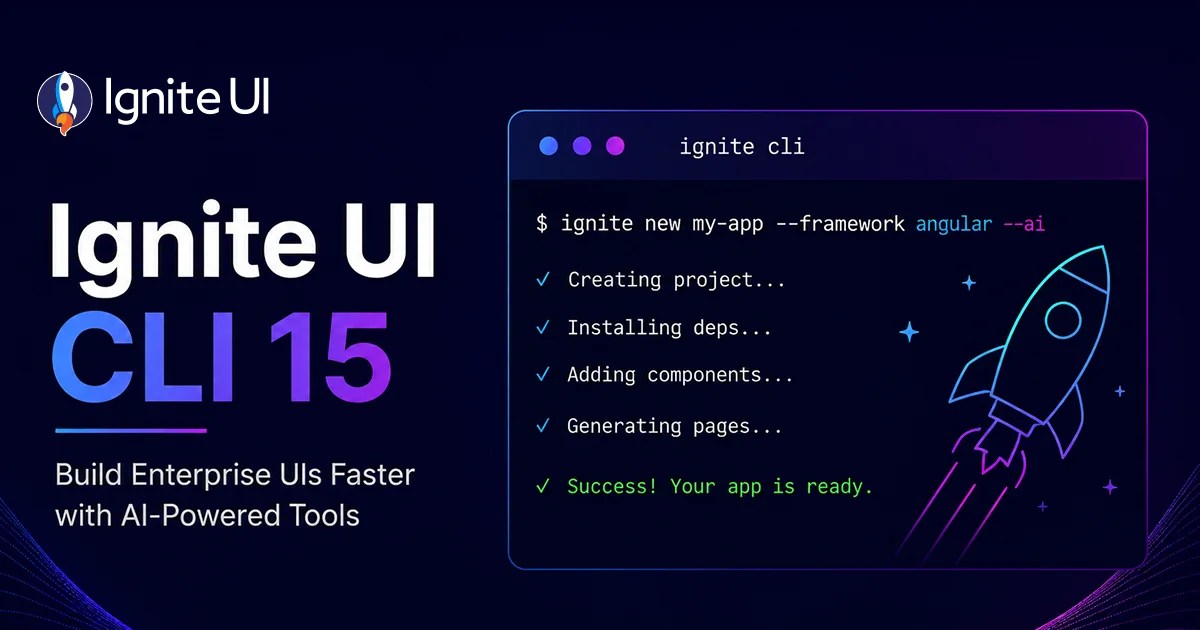
Ignite UI CLI is a separate product with its own release cadence. Four feature releases shipped in the Ultimate 26.1 cycle – 15.0.0 (April 2026) through 15.3.0 (June 2026) – turning the CLI into the installation and configuration hub for the entire AI toolchain. Full changelog: github.com/IgniteUI/igniteui-cli.
CLI 15.0.0: MCP Server, Template Modernization, AI-Ready Scaffolds
CLI MCP server. The Ignite UI CLI MCP server described in the AI Toolchain section above ships as a new workspace package in 15.0.0, launched via ig mcp or npx -y igniteui-cli mcp. Six tools, two runtime modes (Remote and Local), with documented configuration for VS Code, Claude Desktop, and Cursor.
Generate from Image. Three new Agent Skills ship with CLI 15.0 – one per framework – for turning a design image (screenshot, mockup, or wireframe) into a working, themed Ignite UI view:
igniteui-angular-generate-from-image-design(Angular)igniteui-react-generate-from-image-design(React)igniteui-wc-generate-from-image-design(Web Components)
Blazor completes the four-framework coverage: igniteui-blazor-generate-from-image-design ships inside the Ignite UI for Blazor package rather than through the CLI (see the Blazor section below).
Drop a design image into an MCP-connected AI client and prompt “implement this design”. The skill runs a structured protocol: decompose the image into regions; map each region to the most appropriate Ignite UI component using list_components and get_doc; generate a matched theme with create_palette, get_component_design_tokens, and create_component_theme; implement; then refine with set_size, set_spacing, and set_roundness.
The Eye of Mordor demo – a six-page React command center app built entirely through chat prompts – shows this workflow end to end.
AI agent configuration in every new scaffold. Every Angular, React, and Web Components project created with ig new ships with the configuration an AI coding assistant needs to work with Ignite UI without manual file wiring:
AGENTS.md– framework-specific coding guidelines and best practicesCLAUDE.md– Claude Code integration with project-specific instructions.vscode/mcp.json– pre-wired withigniteui-cliandigniteui-themingMCP server entries- Agent Skills – copied from the installed Ignite UI package to the agent discovery path for each configured client (
.agents/skills/,.cursor/rules/, or.claude/skills/)
Angular template modernization. The igx-ts Angular template is rebuilt on current Angular patterns:
- Signals –
@ViewChildreplaced withviewChild();@Outputreplaced withoutput(); constructor DI replaced withinject() - Built-in control flow –
*ngIf,*ngFor,*ngSwitchreplaced with@if,@for,@switch;[ngClass]replaced with[class] - Standalone-only –
AppModuleremoved; setup consolidated into provider functions - Auth – migrated to
angular-auth-oidc-clientv21 with configurable Google, Microsoft, and Facebook social login - Test stack – Karma + Jasmine replaced with Vitest + Playwright
React template coverage.
igr-ts now ships 30 additional component templates, bringing React template coverage to parity with Web Components. The base template is updated to Vite 8.
Breaking changes. Three legacy CLI project types are removed: igx-ts-legacy, ig-ts, and igr-es6. The step-by-step project type default changes from jQuery to Angular.
CLI 15.1.0: The ai-config Command
The ai-config command lets developers select and configure an AI coding assistant integration for an existing Ignite UI project. Based on the selected provider, it adds the required Agent Skills, instruction files, and MCP server configuration in one step. The new command gains --agents (skills and instruction files) and --assistants (MCP configuration) options for configuring AI integration directly at project creation, and the step-by-step wizard prompts for AI agent and assistant selection after the project structure is generated.
For Angular, a dedicated ai-config schematic runs automatically during ng new with Ignite UI and can be invoked standalone via ng generate @igniteui/angular-schematics:ai-config (this form also registers the @angular/cli MCP server; the npx/ig forms do not). All forms are idempotent – re-run on every release cycle to pull updated skills without overwriting custom agent instructions. The servers are configured but not started – start each one in your AI client (Claude Code starts them automatically on first tool invocation).
The CLI MCP server is also listed on the official MCP registry (registry.modelcontextprotocol.io) as of 15.1.0.
CLI 15.2.0: Blazor Joins the AI Toolchain
Two additions bring Blazor into the CLI-managed toolchain:
- CLI MCP server – official Blazor support. The documentation database now covers Blazor docs and APIs, so a connected AI assistant can query Blazor component documentation and API references through the same six tools.
ai-configfor Blazor projects. The command configures AI coding assistance for Blazor projects, and accepts a--framework/-foption for explicit framework specification. When omitted, the command auto-detects the framework (frompackage.json,.csproj, or project configuration) and prompts for selection if detection fails.
CLI project scaffolding templates for Blazor are under development – Blazor support currently covers MCP documentation/API access and ai-config, not ig new scaffolding.
CLI 15.2.2: MCP Server Refinements
- API reference links resolve in-tool. Infragistics API documentation links embedded in docs served by the MCP server are rewritten to deterministic
get_api_referencetool references. AI assistants resolve API links through the in-tool lookup instead of fetching external HTML pages. - Member-level API lookup.
get_api_referenceaccepts an optionalmemberparameter to return a single property, method, or event entry instead of the full component – with canonical member-name casing in the response and clear errors for nonexistent members. ig ai-configoutput. The command now reports how the project framework was detected and logs the skills source – installed package name and version or bundled skills.- Template package updates. Scaffolded projects reference the current library versions:
igniteui-angular~21.2.5,igniteui-react~19.7.0,igniteui-webcomponents~7.2.0.
CLI 15.3.0: New Side-Nav-Mini Template
A new side-nav-mini project template ships for Angular, React, and Web Components – a compact side navigation that collapses to icon-only mode, following the same layout and responsiveness patterns as the standard side-nav template. The Side Navigation template family is unified across all three frameworks, including an improved auth template UI and selection flow, and empty project base templates are aligned with consistent home page markup and scoped styles.
Ignite UI for Angular: 21.1 and 21.2
Angular 21.1
Release blog: Ignite UI for Angular 21.1: AI Skills & Grid Performance
Agent Skills
Ignite UI for Angular 21.1 ships three consolidated Agent Skill packages directly in the repository. Each skill follows a two-layer structure: a lean SKILL.md entry point under 500 lines that handles routing logic, component selection rules, and intent detection, backed by a references/ subdirectory of self-contained knowledge files scoped to individual domains.
skills/ igniteui-angular-components/ - form controls, layout, data display, │ overlays, charts igniteui-angular-grids/ - grid type selection, column config, │ sorting, filtering, editing, remote data igniteui-angular-theming/ - palette, typography, elevations, MCP
An optional ng update migration copies the full skill tree into your project. GitHub Copilot discovers skills via .github/copilot-instructions.md; Cursor via the skills/ directory; Claude Code via .claude/skills/ or CLAUDE.md.
Grid Lite Wrapper (Developer Preview)
IgxGridLiteComponent – the Angular wrapper for the new free, MIT-licensed Grid Lite – ships in 21.1 as a Developer Preview. See the Grid Lite section above for the full feature set and setup.
Grid Scroll Performance
See Grid Performance above. The six rendering optimizations first shipped for Angular in 21.1, producing the 100–150% FPS and 50–60% TBT improvements at 100k rows documented there.
Overlay Popover API
IgxOverlayService and IgxNavigationDrawer now use the browser’s native HTML Popover API to place overlay elements in the top layer, structurally eliminating z-index stacking and overflow clipping issues in complex layouts. No migration is required.
Intl-Based i18n
Grid components that render dates and numbers have moved to a native Intl-based rendering pipeline. Calendar, DatePicker, and DateRangePicker are updated to match. A new public localization API and a separate igniteui-i18n-resources package containing resource strings for all supported languages ships alongside the engine change. The existing resource strings and API continue to work without changes.
PDF Export: Unicode Font Support
IgxPdfExporterService gains a customFont property on IgxPdfExporterOptions for Unicode character support in exports. The default Helvetica font covers basic Latin only. Passing a Base64-encoded TrueType font (TTF) enables export of Cyrillic, Chinese, Japanese, Arabic, Hebrew, and other non-Latin character sets. An optional bold variant for header styling is supported. All grid types are covered.
Breaking Change
igxForOf, IgxGrid, IgxTreeGrid, IgxHierarchicalGrid, and IgxPivotGrid no longer detect mutations on the original data array (adding, removing, or moving records in place). Pass a new array reference to trigger change detection.
Angular 21.2
Release blog: Ignite UI CLI MCP Server & Angular 21.2
Angular 21.2 delivers a focused set of quality-of-life improvements:
- Combo enhancements –
IgxComboandIgxSimpleCombogain aselectionChangedevent that fires after selection is committed (not cancelable) and adisableClearinput to hide the clear button when items are selected. - Snackbar and Toast positioning – A new
positioninginput with acontaineroption places these components relative to the nearest positioned ancestor instead of the full viewport, making them composable in complex layouts. - Overlay settings shorthand –
IgxOverlayService.createAbsoluteOverlaySettingsacceptsuseContainerStrategy: trueas a second parameter to opt intoContainerPositionStrategywithout boilerplate. The previous outlet-based overload still works but is now deprecated, along withIgxOverlayOutletDirectiveandigxToggleOutlet.
Ignite UI for React: 19.5.1, 19.6.0, and 19.7.0
React 19.5.1
Release blog: Ignite UI for React 19.5.1: What’s New?
Agent Skills
Four Agent Skills ship inside the igniteui-react npm package under skills/. Each skill is a self-contained markdown file with step-by-step instructions, code examples, and a references/ subdirectory:
| Skill file | Covers |
|---|---|
igniteui-react-components | Component selection, JSX patterns, events, refs, forms |
igniteui-react-integrate-with-framework | React wrapper setup via igniteui-react, Igr* prefix usage, theme imports, TypeScript types |
igniteui-react-customize-theme | CSS custom properties, Sass, theming system, Theming MCP server |
igniteui-react-optimize-bundle-size | Granular imports, tree-shaking, lazy loading |
Grid PDF Export
IgrGrid, IgrTreeGrid, IgrHierarchicalGrid, and IgrPivotGrid now support exporting to PDF via IgrPdfExporterService. The export produces multi-page documents with automatic page breaks, column group headers, summary rows, landscape orientation by default, and respect for current filter, sort, and column visibility state. The toolbar component integrates the export button directly.
Grid Scroll Performance
See Grid Performance above for the full context. The same six rendering optimizations that shipped in Angular 21.1 apply to React 19.5.x grids, producing the same 100–150% FPS and 50–60% TBT improvements at 100k rows, across IgrGrid, IgrTreeGrid, IgrHierarchicalGrid, and IgrPivotGrid.
Popover API for Dropdowns and Dialogs
Dropdown menus and dialogs now use the browser-native HTML Popover API, positioning floating elements in the top layer and resolving z-index stacking and overflow clipping issues in complex layouts. No API surface changes.
i18n Overhaul
Grid components that render dates and numbers have moved to an Intl-based rendering pipeline. IgrCalendar, IgrDatePicker, and IgrDateRangePicker are updated to match. A new public localization API and igniteui-i18n-resources package ship alongside the engine change.
Breaking Changes
CSS custom property prefixes are renamed. Grid array mutation detection is changed (array ref required). Node.js minimum is now 22.
React 19.6.0
Generate from Image Skill
igniteui-react-generate-from-image-design ships as a new Agent Skill in 19.6.0, extending the Generate from Image workflow described in the CLI 15.0 section to React projects using the npm package directly (without the CLI).
DockManager 2.1.0
IgrDockManager is updated to use igniteui-dockmanager@2.1.0, adding minResizeWidth and minResizeHeight properties, a paneFlyoutToggle event, and additional layoutChange event detail.
Splitter and Highlight Components
Two new components ship via the updated igniteui-webcomponents@7.1.0 dependency: IgrSplitter for resizable panel layouts and IgrHighlight as a text highlight container.
React 19.7.0
This release aligns React with the WC 7.2.0 component surface. All new APIs use Igr prefixes and React event conventions (onClosing, onClosed vs igcClosing, igcClosed in Web Components).
Invoker Commands API
IgrButton and IgrIconButton now support command and commandFor properties for declarative control of target components. IgrBanner, IgrDialog, IgrNavDrawer, IgrSnackbar, and IgrToast respond to --show, --hide, and --toggle invoker commands without custom event wiring.
Nav Drawer: Popover API Integration
Non-relative Nav Drawer positions now use the native HTML Popover API, providing built-in modal semantics and focus trapping. New properties and events match the WC 7.2.0 additions: keepOpenOnEscape, onClosing (cancelable), and onClosed. The overlay CSS part is removed – target base::backdrop or --ig-overlay-background-color instead.
Snackbar and Toast: Viewport or Container Positioning
Both IgrSnackbar and IgrToast gain a positioning property (viewport | container) and render as top-layer popovers, consistent with WC 7.2.0 and Angular 21.2.
Date Range Picker: Single-Field Editing
Inline editing of the date range value via a single input field is now supported.
Agent Skills: Updated Skill Files
The library-provided Agent Skills for React are updated and enhanced in this release. Re-run ig ai-config or npx igniteui-cli ai-config to pull the updated skill files into your project.
Form Controls: Enter Key Behavior and Input Theming
IgrInput, IgrMaskInput, IgrDateTimeInput, IgrCheckbox, IgrRadio, IgrSwitch, IgrDatePicker, and IgrDateRangePicker now submit their associated form on Enter key press. IgrInput gains theming support for date, time, datetime-local, week, and month input types across all supported themes.
Deprecations
The old resource string interfaces for Calendar, Chat, Date Picker, and Date Range Picker are deprecated. These components now use the new igniteui-i18n resource keys introduced in 19.5.0. Provide a complete resource strings object rather than setting individual resourceStrings properties directly.
Ignite UI for Web Components: 7.0.0, 7.1.0, and 7.2.0
Web Components 7.0.0
Release blog: Ignite UI for Web Components 7.0.0: What’s New?
Release blog: Ignite UI for Web Components 7.2 – AI Skills, MCP & More
Agent Skills
Four Agent Skills ship inside the igniteui-webcomponents npm package under skills/. Each skill addresses a distinct class of task that agents handle incorrectly without explicit guidance:
| Skill file | Addresses |
|---|---|
igniteui-wc-choose-components | Prevents agents from reaching for the wrong component (e.g. native <select> instead of igc-combo) |
igniteui-wc-integrate-with-framework | Host environment branching: Angular, React via igniteui-react, Vue, vanilla JS |
igniteui-wc-customize-component-theme | CSS custom properties, ::part() exposure, Theming MCP server |
igniteui-wc-optimize-bundle-size | Steers agents away from defineAllComponents() toward selective registration |
Grid PDF Exporter
IgcPdfExporterService targets IgcGrid, IgcTreeGrid, and IgcHierarchicalGrid, producing multi-page documents with automatic page breaks, column group headers, summary rows, and landscape orientation by default. The export respects current filter, sort, and column visibility state. A single attribute on the toolbar component enables the export button for most grids.
Grid Scroll Performance
See Grid Performance above. The same six optimizations shipped in Angular 21.1 and React 19.5.x are ported to WC 7.0.0, applying to IgcGrid, IgcTreeGrid, IgcHierarchicalGrid, and IgcPivotGrid.
Popover API and i18n
Dropdown menus and dialogs use the HTML Popover API for top-layer positioning. The Intl-based i18n engine and igniteui-i18n-resources package ship for WC grids alongside the same public localization API as Angular and React.
IgcThemeProvider
New igc-theme-provider component scopes themes to specific page sections using Lit’s context API, enabling multiple themes on a single page. Works in both Shadow DOM and Light DOM (via CSS @scope).
Breaking Changes
CSS theme custom property prefixes are renamed globally – update stylesheet overrides before upgrading. Chat typingIndicator renderer is removed (use the typing-indicator slot). Tooltip disableArrow is removed. Node.js minimum is now 22.
Web Components 7.1.0
Generate from Image Skill
igniteui-wc-generate-from-image-design ships as a new Agent Skill in 7.1.0, extending the Generate from Image workflow to Web Components projects.
Splitter and Highlight Components
IgcSplitter and IgcHighlight ship as new components.
Grid Maintenance
Grids package updated to align with Angular grids v21.2.1, bringing a set of bug fixes.
Web Components 7.2.0
Invoker Commands API
igc-button and igc-icon-button now support command and commandfor properties, enabling declarative control of target components without JavaScript. igc-banner, igc-dialog, igc-nav-drawer, igc-snackbar, and igc-toast respond to --show, --hide, and --toggle commands dispatched by an invoker button. This is a direct adoption of the Invoker Commands web platform API.
<igc-button command="--show" commandfor="confirm-dialog">Open</igc-button> <igc-dialog id="confirm-dialog">...</igc-dialog>
Nav Drawer: Popover API Integration
Non-relative Nav Drawer positions (start, end, top, bottom) now use the native HTML Popover API, providing built-in modal semantics, focus trapping, and accessibility support without custom overlay wiring. Three new additions:
keepOpenOnEscape– prevents the drawer from closing on Escape (non-relative positions only)igcClosingevent – cancelable; fires just before the drawer closesigcClosedevent – fires just after the drawer closes
The overlay CSS part is removed. Target base::backdrop or the --ig-overlay-background-color CSS variable for overlay styling.
Snackbar and Toast: Viewport or Container Positioning
Both igc-snackbar and igc-toast gain a positioning property. Set it to viewport (default) to render in the browser top layer relative to the viewport, or container to anchor the component to the nearest visible ancestor – enabling snackbars and toasts scoped to a specific layout region.
Date Range Picker: Single-Field Editing
The Date Range Picker now supports editing the date range value directly via a single input field, in addition to the existing split start/end inputs.
Agent Skills: Updated Skill Files
The library-provided Agent Skills for Web Components are updated and enhanced in this release. Re-run ig ai-config or npx igniteui-cli ai-config to pull the updated skill files into your project.
Form Controls: Enter Key Behavior
IgcInput, IgcMaskInput, IgcDateTimeInput, IgcCheckbox, IgcRadio, IgcSwitch, IgcDatePicker, and IgcDateRangePicker now submit their associated form on Enter key press, matching native browser behavior. No configuration required.
Deprecations
The old resource string interfaces for Calendar, Chat, Date Picker, and Date Range Picker are deprecated. These components now use the new igniteui-i18n resource keys introduced in 7.0.0. Provide a complete resource strings object rather than setting individual resourceStrings properties directly.
Ignite UI for Blazor 25.2.77 (March 2026)
Versioning note: Ignite UI for Blazor uses a separate versioning scheme tied to Infragistics product releases. 25.2.77 is the H1 2026 library release, corresponding to the Ultimate 26.1 cycle.
IgbQueryBuilder
New IgbQueryBuilder component provides a visual interface for building complex filtering conditions through AND/OR operators, field conditions, and value inputs. It outputs a structured query object and supports locale configuration and custom resource strings.
IgbThemeProvider
New IgbThemeProvider component scopes themes to specific page sections using Lit’s context API, enabling multiple themes on a single page. Works in both Shadow DOM and Light DOM – consistent with the igc-theme-provider shipping in WC 7.0.0.
Grid PDF Export
IgbGrid, IgbTreeGrid, and IgbHierarchicalGrid now support exporting to PDF alongside the existing Excel and CSV options.
Note: IgbPivotGrid is not covered by PDF export in this release.
Grid Scroll Performance
See Grid Performance above. The dynamic scroll throttle optimization applies to IgbGrid, IgbTreeGrid, IgbHierarchicalGrid, and IgbPivotGrid in Blazor 25.2.77. Blazor-specific FPS and TBT benchmarks are not published for this release.
Component Enhancements
- Combo – New
disableClearproperty disables the clear button (consistent with Angular 21.2 and WC 7.0.0) - Badge – New dot type; improved outline following WCAG AA accessibility standards; theme-based sizing
- Checkbox – New
--tick-widthCSS custom property - Accessibility – Color adjustments for Button, Button Group, Calendar, Checkbox, Date Picker, Date Range Picker, Nav Drawer, Radio Group, Stepper
Breaking Change
IgbGrid, IgbTreeGrid, IgbHierarchicalGrid, and IgbPivotGrid no longer detect mutations on the original data array. Pass a new array reference to trigger change detection.
Agent Skills
Four Agent Skills ship for Ignite UI for Blazor, bringing Blazor to parity with the other frameworks on the instruction-file layer of the AI toolchain:
igniteui-blazor-components– component selection and usage patternsigniteui-blazor-grids– grid type selection, column configuration, grid featuresigniteui-blazor-theming– palette, typography, elevations, Theming MCP setupigniteui-blazor-generate-from-image-design– design image to Blazor view
AI Toolchain for Blazor
All three toolchain layers cover Blazor in this release. Agent Skills (above) ship in the Blazor package. The CLI MCP server provides full Blazor documentation and API support as of CLI 15.2.0 – a connected AI assistant queries Blazor component docs and API references through the same six tools. The Theming MCP server is fully enabled for Blazor projects: design token work, palette generation, and WCAG contrast validation. Configure all of it with ig ai-config (Blazor support since CLI 15.2.0). CLI project scaffolding templates for Blazor are under development.
Additional Resources
- AI Tooling in Framework-Specific Development: An Empirical Study of MCP and Agent Skills Benefits (research paper)
- Why Ignite UI AI Tooling Produces Better Results
- Why AI Results Improve Over Time Without the Model Actually Learning
- AI-Assisted App Development with Ignite UI
- Ignite UI Agent Skills
- React Data Grid
- AI-Assisted Development docs (Angular, React, WC overview)
- CLI MCP setup guide
- Theming MCP documentation
- Agent Skills documentation
- Grid Lite overview (free, MIT-licensed)
- Engineering Fast Data Grids: Lessons from Optimizing Ignite UI for 1M+ Records
- Ignite UI CLI changelog
- Ignite UI for Angular 21.1 release blog
- Ignite UI CLI 15.0 release blog
- Ignite UI for React 19.5.1 release blog
- https://ko.infragistics.com/blogs/ignite-ui-react-19-7-ai-skills-mcp-more
- Ignite UI for Web Components 7.0.0 release blog
- https://ko.infragistics.com/blogs/ignite-ui-for-web-components-7-2-ai-skills-mcp-more
- MAKER documentation
- Eye of Mordor demo